
I recently helped a colleague who was in a tight spot: a critical project archive, several gigabytes in size, was locked behind a forgotten password. The pressure was on to access it quickly and securely without compromising the data. This scenario isn't uncommon, and it highlights a significant challenge many of us face in our professional lives: how to safely unlock password protected files, especially when they are large and the stakes are high.
Dealing with large encrypted files requires a thoughtful approach, as brute-force attempts or incorrect procedures can lead to data corruption. My experience over the past decade in software engineering has taught me that a systematic and careful strategy is key to successful data retrieval.
Table of Contents
Understanding the Challenges of Large Encrypted Files
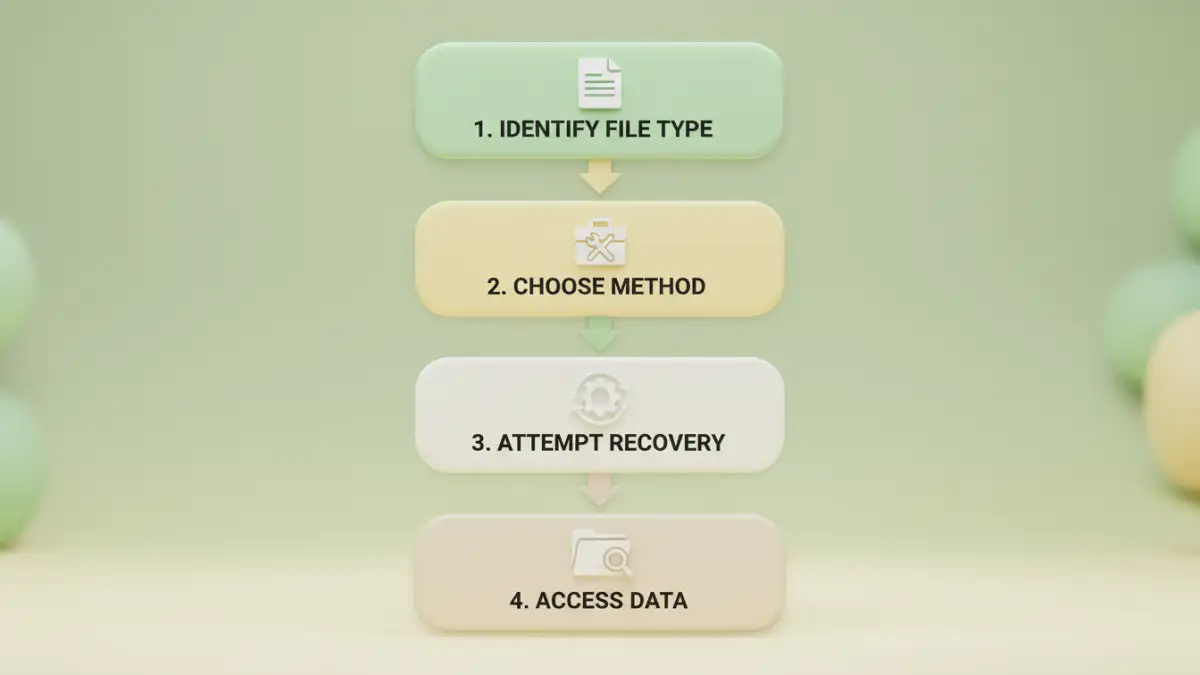
Working with large, password-protected files introduces unique complexities beyond just remembering a password. The sheer volume of data means that any process, whether it's decryption or even just copying, can be time-consuming and resource-intensive. This is particularly true if the file is stored on a slow network drive or an older storage medium.
Why Large Files Are Different
Unlike small documents, large files often reside in archives (like ZIP, RAR, 7z) or container formats (like encrypted disk images). These formats might use stronger encryption algorithms or employ different password verification mechanisms. The size also makes them more susceptible to corruption during transfer or recovery attempts, potentially leading to data loss if not handled carefully.
Common Encryption Types and Their Implications
Files can be protected using various encryption standards, from AES-256 in modern archives to older, less secure methods. The type of encryption dictates the difficulty of recovery and the tools required. Understanding whether you're dealing with a simple document password or a full-disk encryption key is crucial before attempting any recovery.
Common Methods for Accessing Protected Files

When you need to unlock password protected files, your approach will largely depend on the file type and the level of protection. For many common file formats, built-in features or readily available tools can offer straightforward solutions, provided you have at least some recollection of the password.
Browser-Based Tricks for PDF Documents
For PDFs that are protected with an "owner" password (which restricts editing or printing but allows viewing), a simple browser trick can often remove the protection. Opening the PDF in a web browser like Chrome or Firefox, then using the "Print to PDF" option, can create an unprotected copy. This method is surprisingly effective for less secure PDF protections, but it won't work for PDFs with a "user" password that prevents opening.
Leveraging Dedicated Software Solutions
For more robust protection, especially with archives like ZIP or RAR, dedicated software is often necessary. Tools like 7-Zip (for archives) or specific PDF password removers can help. Many of these tools offer password recovery features that attempt to guess or brute-force passwords, though this can be very slow for strong passwords and large files. Always ensure you're using reputable software to avoid malware or further data corruption.
Advanced Strategies for Complex Scenarios
Sometimes, the simple methods aren't enough, especially when dealing with forgotten complex passwords or corrupted large files. In these situations, more advanced techniques and professional assistance might be required to ensure successful data retrieval without jeopardizing the file's integrity.
Brute-Force and Dictionary Attacks (With Caution)
When a password is completely unknown, brute-force or dictionary attacks are often considered. These methods systematically try combinations of characters or words from a pre-defined list. For large files and strong passwords, this can take an incredibly long time, even years, with consumer hardware. I've seen clients waste significant time on these attempts only to damage the file further or give up in frustration. It's a last resort and should be approached with realistic expectations and proper tools like John the Ripper or Hashcat, preferably on a copied version of the file.
When to Call for Professional Data Recovery
For mission-critical large files where all else has failed, or if the file appears corrupted, engaging a professional data recovery service is often the wisest decision. These specialists have advanced tools, expertise, and cleanroom environments to handle delicate data without causing further damage. While it comes at a cost, the value of the data often outweighs the expense, ensuring a higher chance of successful retrieval.
Best Practices for File Security and Retrieval
Prevention is always better than cure, especially when it comes to file security and password management. As someone who has dealt with countless data recovery challenges, I can attest that a proactive approach saves immense time and stress down the line. Implementing robust security habits can prevent the need to unlock password protected files in the first place.
Proactive Security Measures and Strong Passwords
Always use strong, unique passwords for your encrypted files, preferably generated by a reputable password manager. Avoid reusing passwords across different files or services. Consider multi-factor authentication for cloud storage or critical systems. Regularly review access permissions for shared large files, ensuring only authorized individuals can view or modify them.
Implementing Secure Backup Strategies
Even with strong passwords, files can be lost due to hardware failure, accidental deletion, or corruption. Implement a robust 3-2-1 backup strategy: three copies of your data, on two different media types, with one copy offsite. For large, encrypted files, ensure your backup solution can handle encrypted data without issues, and always test your backups periodically to confirm they are recoverable.
Comparison Table
| Method | Pros | Cons | Best For |
|---|---|---|---|
| Browser Trick (PDFs) | Free, No software needed, Fast | Limited to owner passwords, PDF only | Quick fixes for less secure PDFs |
| Online Tools | Easy to use, Fast processing for small files | Privacy concerns, Limited features, Upload limits for large files | Simple tasks, non-sensitive data |
| Desktop Software | Powerful, Handles various file types, Offline processing | Can be paid, Learning curve, Time-consuming for strong passwords | Complex cases, archives, sensitive data |
| Professional Data Recovery | High success rate, Handles severe corruption, Expert knowledge | Expensive, Time-consuming, Requires trust in service | Mission-critical data, last resort |