
A photographer friend of mine recently had his work stolen and published on another website without credit or permission. It's a frustratingly common story for creators, writers, and businesses who pour their time and effort into producing original content. While no single method is a foolproof barrier against theft, a well-implemented watermark is a powerful first line of defense.
A watermark acts as a digital signature, a persistent claim of ownership that travels with your file wherever it goes. It's not just about slapping your name on an image; it's a strategic tool for deterrence and attribution that can make a significant difference in how your intellectual property is treated online.
Table of Contents
What Is a Watermark and Why Use It?
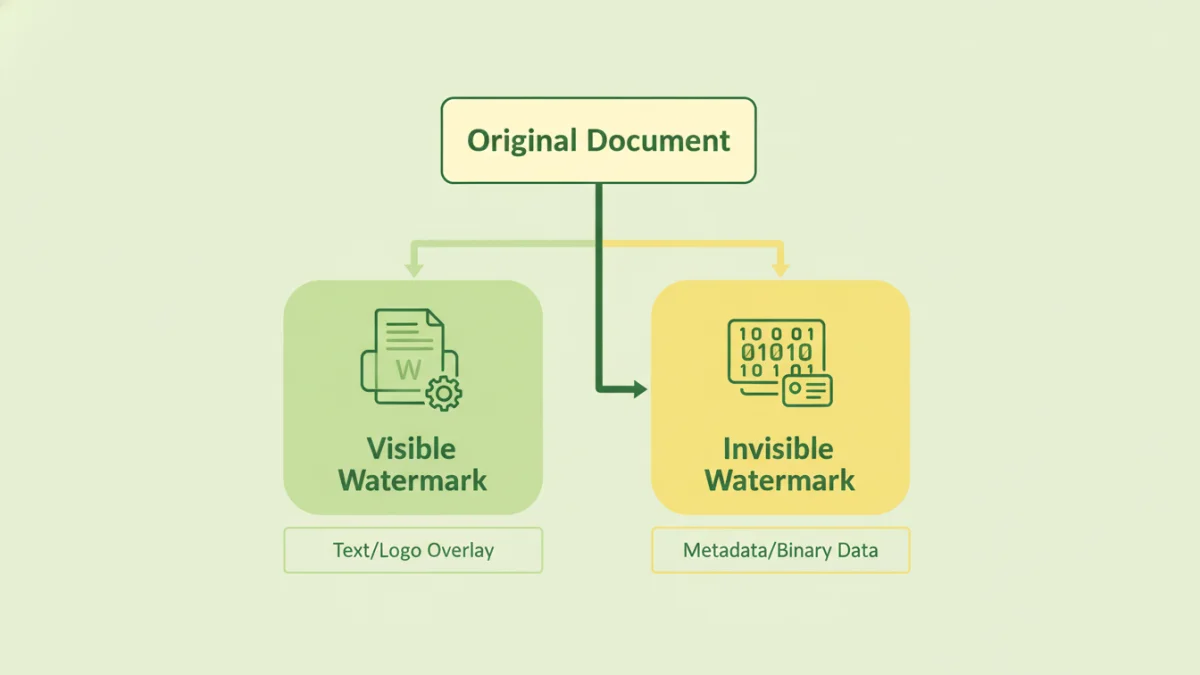
At its core, a watermark is an identifying mark—like a logo, text, or pattern—overlaid onto a document or image. Its primary purpose is to identify the owner of the content and discourage unauthorized use. Think of it as the digital equivalent of an artist's signature on a painting. It immediately signals that the work is not free for the taking.
The main benefits are straightforward: deterrence and attribution. A visible watermark makes it harder for someone to pass off your work as their own. Even if they do, the watermark provides clear attribution back to you. This is crucial for branding and ensuring you receive credit for your efforts. It's a simple yet effective way to protect digital documents and other creative assets.
Visible vs. Invisible Watermarks
Watermarks come in two primary forms. Visible watermarks are the most common; you've seen them as semi-transparent logos or text on stock photos or document previews. They are designed to be an overt deterrent. Their effectiveness depends on their placement and opacity—strong enough to be seen but not so distracting that they ruin the viewing experience.
Invisible watermarks, on the other hand, are hidden within the file's data itself through a process called steganography. These are not meant to deter theft but to prove ownership and track distribution after the fact. If a watermarked file is leaked or shared illicitly, you can use special software to read the hidden data and identify the source. This is a more advanced form of document copyright protection.
How to Apply Watermarks to Your Documents
Adding a watermark doesn't require complex technical skills. Many common software applications have this functionality built right in, and numerous dedicated tools are available for more specialized needs.
Using Built-in Software Features
Most people can start with the software they already own. In Microsoft Word, you can add a custom text or image watermark via the 'Design' tab. It's a quick way to add a 'DRAFT' or 'CONFIDENTIAL' stamp to internal documents. Similarly, Adobe Acrobat Pro allows for robust watermarking of PDFs, giving you control over opacity, size, placement, and whether the watermark appears on top of or behind the content.
Dedicated Watermarking Tools
For those who need to process many files at once, such as a photographer watermarking an entire gallery, dedicated tools are a better option. Services like Watermarkly or iWatermark Pro offer batch processing, allowing you to apply a consistent watermark to hundreds of files simultaneously. These tools often provide more customization options, such as using tiled watermarks, adding QR codes, or using metadata to create dynamic text.
Advanced Watermarking Techniques
Beyond simple text overlays, modern watermarking can be quite sophisticated. As a developer, I find the engineering behind these advanced methods fascinating. They move from simple deterrence to active tracking and forensic analysis.
Dynamic Watermarks
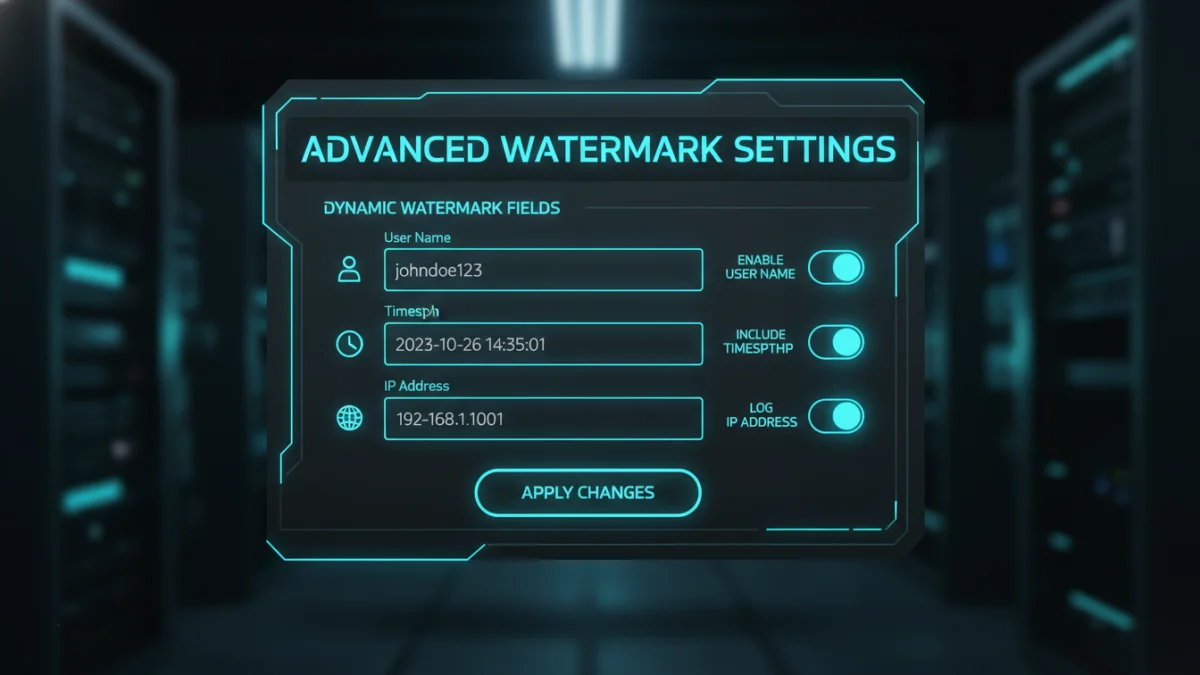
Imagine a secure document where the watermark changes based on who is viewing it. That's a dynamic watermark. When a user accesses a file from a secure portal, the system can generate a watermark that includes their name, email address, or the time of access. If that document ever leaks, the watermark immediately identifies the source of the breach. This is a powerful tool to prevent content theft in corporate environments.
Forensic Watermarking
This is where invisible watermarking truly shines. Forensic watermarks embed a unique, imperceptible identifier into each copy of a digital asset. This is commonly used by film studios to track pre-release screeners or by businesses to protect sensitive reports. Each recipient gets a uniquely marked copy. If a copy appears online, the embedded code can be extracted to trace it back to the original recipient, providing undeniable proof for legal action. It's a critical component when you need to safeguard copyrighted documents of high value.
Best Practices for Effective Watermarking
Simply adding a watermark isn't enough; how you add it matters. An poorly placed or easily removed watermark offers little protection. Follow these best practices to maximize its effectiveness.
First, consider placement. Don't stick your watermark in a corner with a solid background, where it can be easily cropped or edited out. Place it over an area of the document or image with complex details, making removal more difficult. Second, adjust the opacity. It should be visible enough to be noticed but not so opaque that it obstructs the content. An opacity of 20-40% is often a good starting point. Finally, include essential information: the copyright symbol (©), your name or company name, and the year of creation. This reinforces your legal claim to the work.
Watermarking Tool Comparison
| Tool Type | Pros | Cons | Best For |
|---|---|---|---|
| Built-in (Word/Acrobat) | Free/Included with software, easy to use for basic tasks. | Limited batch processing, fewer customization options. | Quickly adding simple text watermarks like 'Confidential' or 'Draft'. |
| Online Tools (e.g., Watermarkly) | Accessible from anywhere, good for batch processing, user-friendly. | Requires uploading files (privacy concern), may have file size limits on free plans. | Photographers, bloggers, and small businesses needing to process multiple images. |
| Desktop Software (e.g., iWatermark Pro) | Powerful features, high level of customization, works offline. | Requires purchase and installation, may have a learning curve. | Professionals who need advanced features and handle sensitive files. |
| Enterprise/Forensic Systems | Invisible and dynamic watermarking, provides traceable identifiers. | Very expensive, requires integration into a larger system. | Corporations, studios, and organizations protecting high-value intellectual property. |